> ## Documentation Index
> Fetch the complete documentation index at: https://bun.com/docs/llms.txt
> Use this file to discover all available pages before exploring further.
# Error Handling
> Learn how to handle errors in Bun's development server
To activate development mode, set `development: true`.
```ts title="server.ts" icon="https://mintcdn.com/bun-1dd33a4e/JUhaF6Mf68z_zHyy/icons/typescript.svg?fit=max&auto=format&n=JUhaF6Mf68z_zHyy&q=85&s=7ac549adaea8d5487d8fbd58cc3ea35b" theme={"theme":{"light":"github-light","dark":"dracula"}}
Bun.serve({
development: true, // [!code ++]
fetch(req) {
throw new Error("woops!");
},
});
```
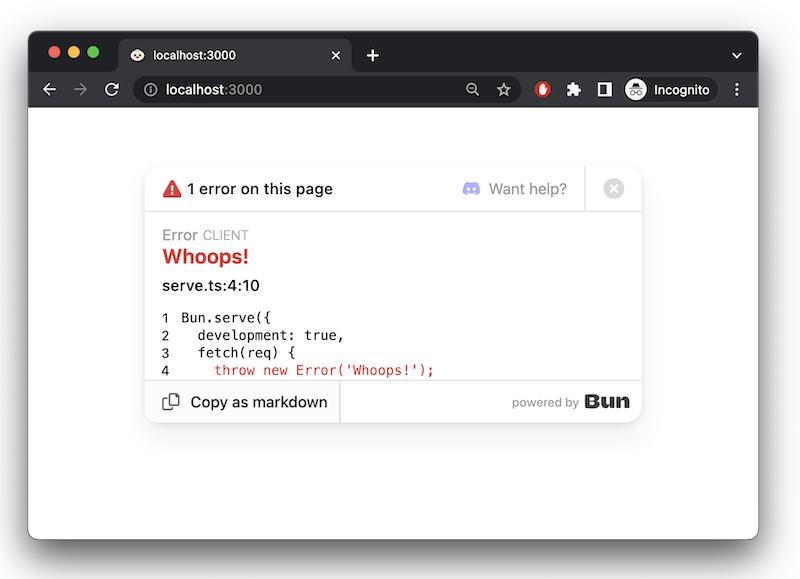
In development mode, Bun will surface errors in-browser with a built-in error page.
 ### `error` callback
To handle server-side errors, implement an `error` handler. This function should return a `Response` to serve to the client when an error occurs. This response will supersede Bun's default error page in `development` mode.
```ts theme={"theme":{"light":"github-light","dark":"dracula"}}
Bun.serve({
fetch(req) {
throw new Error("woops!");
},
error(error) {
return new Response(`
### `error` callback
To handle server-side errors, implement an `error` handler. This function should return a `Response` to serve to the client when an error occurs. This response will supersede Bun's default error page in `development` mode.
```ts theme={"theme":{"light":"github-light","dark":"dracula"}}
Bun.serve({
fetch(req) {
throw new Error("woops!");
},
error(error) {
return new Response(`${error}\n${error.stack}`, {
headers: {
"Content-Type": "text/html",
},
});
},
});
```
[Learn more about debugging in Bun](/runtime/debugger)